
Originally published on Jan 26, 2025. Fully updated on Sep 29, 2026.
The best employee onboarding software for small business owners in 2026 is TalentHR, which combines HRIS, ATS, and onboarding on a free tier. The other six worth your time are BambooHR, Gusto, WorkBright, Connecteam, Factorial, and Rippling. Entry pricing runs from $0 to $8 per user per month, checked against every vendor's own page in July 2026. Pick TalentHR if you want the whole employee lifecycle in one place. Choose WorkBright for remote US hiring, Connecteam if your team works off a phone, and Factorial for hiring inside the EU.
This article is written for small business owners with 5 to 150 employees who are formalizing onboarding in 2026. Founders, CEOs, general managers, ops leads, and anyone who brings new people into a company without a dedicated HR team behind them.
What is an Employee Onboarding Software?
Employee onboarding software is software that helps you enroll a new hire into your organization so they can work from day one, and creates a digital employee profile from day one. Since it populates a profile, it lets you follow someone across their entire lifecycle at the company instead of losing the record once the first week ends.
Traditional onboarding is a set of personal and somewhat manual practices. You shadow the new person on day one, walk them into meetings, introduce them to the room, and ask whether their computer access works. You can make these procedures more automated with onboarding software, which has triggers, can process documents, and leaves a record of what was carried out. The manual version lives in your memory and your inbox, while the software version leaves an audit trail anyone can come back to.
The stakes are higher than the admin suggests. Organizations with a strong onboarding process improve new-hire retention by 82% and productivity by over 70%, according to Brandon Hall Group. Turnover is expensive, and retention is rewarding, so a decent onboarding system will have a say in how your P&L looks.
What are the Benefits of Employee Onboarding Software for a Small Business Owner?
If you want to update your current onboarding software or move on from spreadsheets, you’ll find these benefits fairly quickly when entering the adoption phase:
Time savings. The software automates the paperwork. You can expect documents to get signed on time, and you keep the record and the audit trail without chasing anybody.
Compliance. A digital audit trail proves you did a given thing, constitutes an employee record, and stores the signatures. When a part-time employee moves to full-time, the change stays on file inside the same system.
A better experience on both sides. Each step can be completed async. Your new hire gets an email, fills their paperwork at their own pace, and takes responsibility for arriving ready on day one. That is less work for them and less for you.
Cost efficiency. New hires decide early whether they will stay, and onboarding sits inside those first days. And besides saving hours of admin work, the practical upside is in cutting first-year turnover.
What Features Should You Look for in an Onboarding System?
A handful of features distinguish effective new-hire onboarding software from a simple demo.
Automated workflows. A hire should fire the digital signature requests to the right counterparties, run a deadline system when somebody stalls, and chain into a provisioning workflow that creates the email account.
A self-service portal. Self-service delivers high ROI and low friction, just like self-serve PTO requests do. Mobile-first matters in 2026.
Custom checklists per role. Onboarding changes by department. A support rep working in the office with a specialized headset needs a different path from a field account manager who flies and expenses constantly.
Integration with HRIS, payroll, and LMS. If your payroll works, your onboarding tool should not override it. Ideally, you should be able to integrate both tools. Post the job ad, hire from the same platform, push to payroll, and hand training to an LMS. Also, ask about API depth and no-code connectors such as Zapier or Make.com.
Compliance and document management. The audit trail has to suit each jurisdiction. Requirements shift across a W-2, a 1099, and a W-8 in the US, and again in the UK and the EU. If you're working with employees in Texas, it's still a good idea to pick software that will work with a German contractor.
Analytics and reporting. Measure from the moment of onboarding to compare hires. Reporting across the employee lifecycle shows whether onboarding metrics track with eventual engagement. Onboarding is very influential to an employee’s sentiment towards the company.
AI features that do a job. Plenty of vendors stick an AI label on a product and never explain what it does. (The price tag might still go up, though!) Useful AI writes job ads when onboarding connects to your ATS and builds onboarding paths per role.
A pricing model you can read. You should see the cost upfront and understand what you pay as you grow. For a small business, a freemium product beats a per-user model you won't be able to accurately estimate.
How We Chose These Onboarding Platforms
We tested what we could and said so per tool. We have sat on both sides of several of these products, as the employee using one and as the employer running one. Where we could not exercise every feature, we went to reviews on authoritative sites. Everything here rests on our own use or on sources we trust.
We combined six criteria: fast and easy setup, a free tier, integration depth, AI features that do a job, compliance across jurisdictions, and the mobile experience. Integration depth carries weight because an integration is often defined once you have the product in your hands.
We excluded enterprise-grade tools that require a call with a sales representative before quoting a price, because published prices are what let an owner decide. We also excluded products not focused on onboarding, with narrow exceptions. Pricing throughout is as of July 2026.
TalentHR and TalentLMS are both Epignosis products, so the TalentLMS integration mentioned below connects two sibling products from the same company.
Employee Onboarding Software Compared
The starting price is each vendor's entry plan on a monthly billing. The column "Native ATS/HRIS" marks products that hire and hold employee records themselves instead of handing that to another tool. All pricing as of July 2026.
The 7 Best Employee Onboarding Platforms for Small Business Owners in 2026
Each platform below follows the same six lines that take the information from the table above and expand on it.
TalentHR
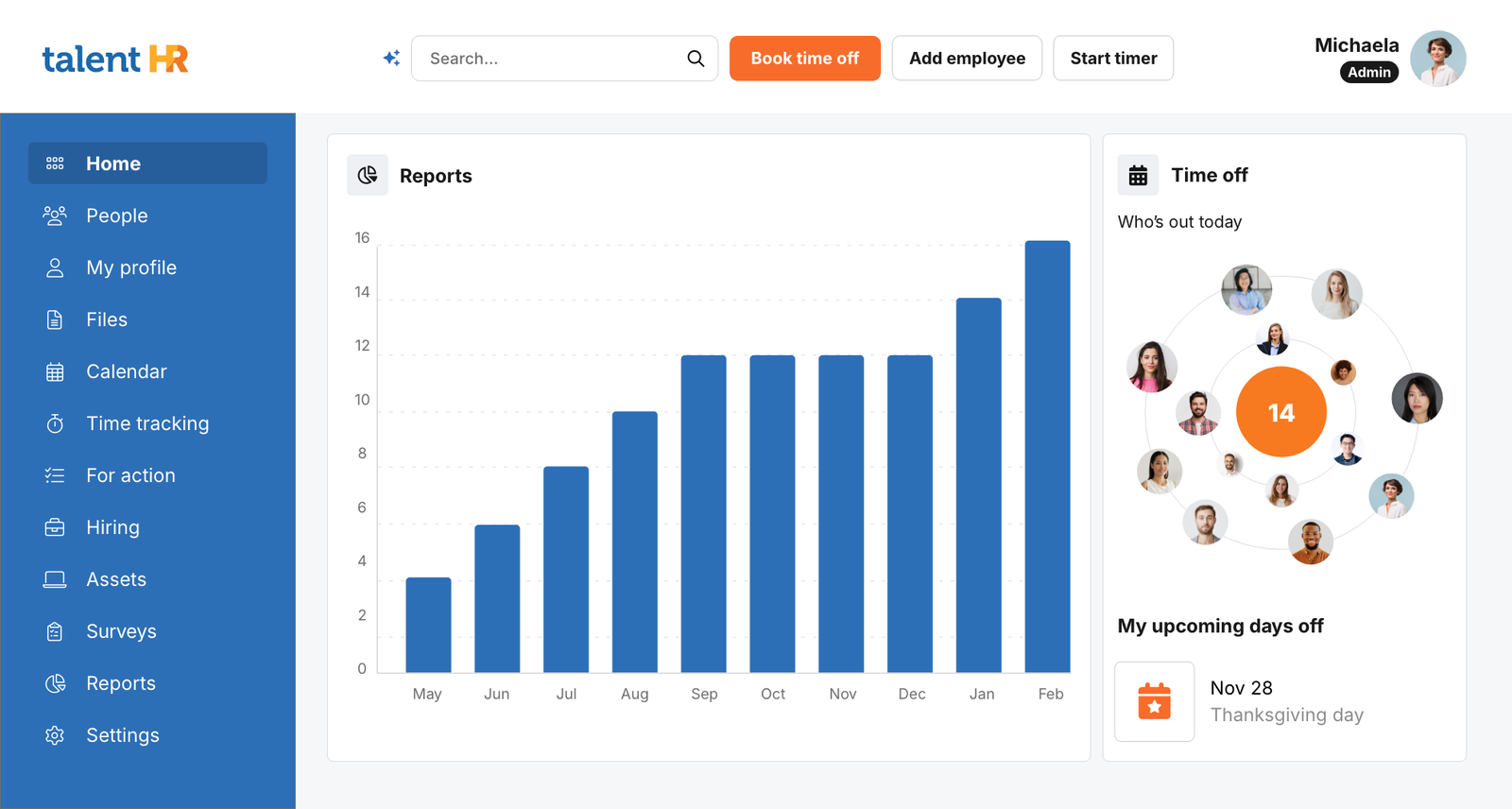
An all-in-one HRIS, ATS, and onboarding product from a company with a long software track record, based in the European Union but also with presence in the US, and features that cover most hiring markets.
Starting price: free, then $2 per user per month on Essential (July 2026). Free tier: yes, up to 10 users, with no time limit. Best for: an owner who wants hiring, onboarding, and the rest of the employee lifecycle in one place.
Standout onboarding feature: automated workflows that fire the moment you add a new hire. AI features: describe an onboarding flow in plain English, and the platform builds the workflow, plus an HR assistant that answers policy questions.
Trade-off: The solution keeps adding new features, so users might have to look at the roadmap.
BambooHR
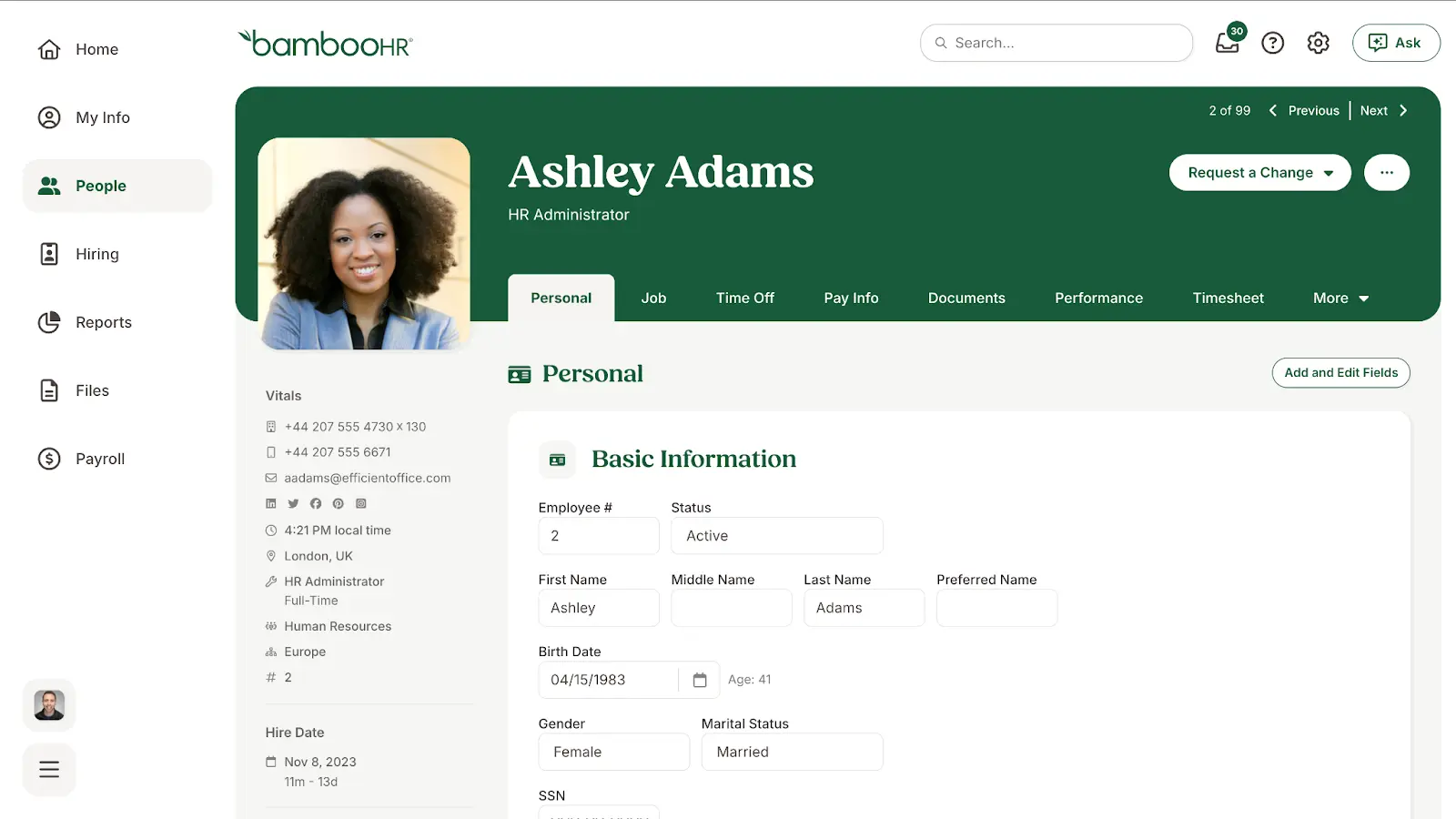
The polished default in small-business HR, very popular in the US, with onboarding built into a full HRIS.
Starting price: $10 per employee on Core (July 2026), but also requires a quote. Free tier: no.
Best for: teams where people already know the product, often from the candidate side. Standout onboarding feature: fully customizable onboarding checklists. AI features: an assistant that answers questions against your own HR data.
Trade-off: the pricing takes work to read. BambooHR publishes a $10/month per-user pricing, but still, they send users through a quote request.
Gusto
A US payroll platform with onboarding layered on top, which solved payroll for many companies through the remote and contractor-heavy years.
Starting price: $49 per month plus $6 per person on Simple (July 2026), so many pages list it correctly as $55. Free tier: no.
Best for: owners who already run payroll on Gusto or want to move it there. Standout onboarding feature: onboarding that feeds payroll directly. AI features: limited on the onboarding side in 2026.
Trade-off: it’s primarily a payroll product and covers the US only, at least natively.
Rippling
A complex HR, IT, and finance platform, strongest for small companies that need to solve very complicated funding requests.
Starting price: quote only. Free tier: no.
Best for: tech-forward SMBs that need to handle highly complex ledger and finance operations. Standout onboarding feature: onboarding and offboarding automation, plus in the core platform. AI features: automation across HR and device provisioning.
Trade-off: Rippling publishes no prices, although a blog mentions the HR platform (which is just a part of Rippling’s offering) is at $8 per user per month, while it also mentions a base cost of $35 per user per month. Each module is bought separately alongside a required core platform fee, which makes the total difficult to calculate.
WorkBright
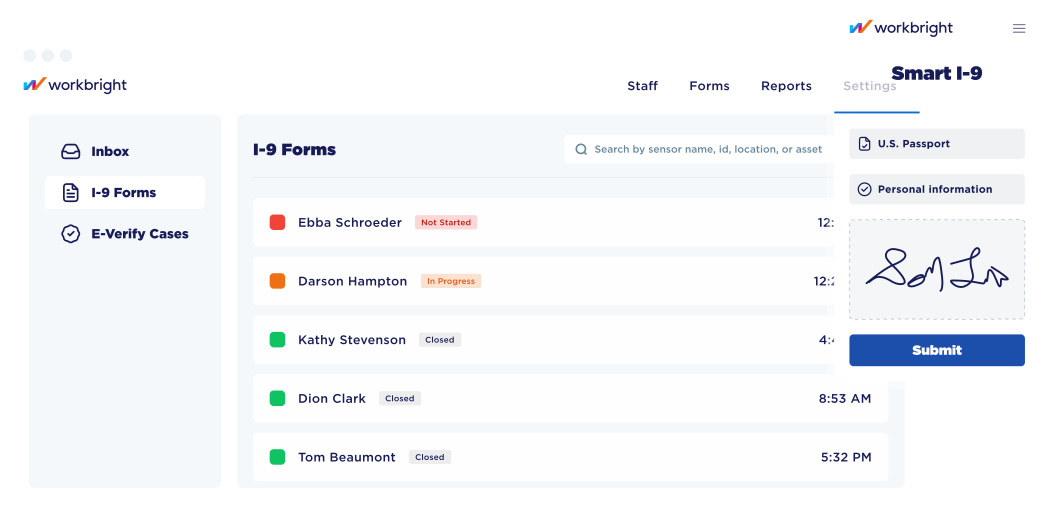
An onboarding specialist built for remote teams, with remote I-9 verification as its center of gravity.
Starting price: $25 per managed I-9 on WorkBright+, a service tier (July 2026). Free tier: no.
Best for: US companies hiring people they will never meet in person. Standout onboarding feature: remote I-9 verification. AI features: part of the services process.
Trade-off: The $25 fee for WorkBright+ is for each case. It can get expensive fast.
Connecteam
An operations platform with an onboarding module, aimed at people who work away from a desk.
Starting price: Free up to 10 employees. It then starts at $35 per month for the first 30 users with the monthly pricing plan. Free tier: yes, free for life up to 10 users with every feature.
Best for: delivery drivers, shift workers, and warehouse teams. Standout onboarding feature: onboarding delivered to a phone. AI features: limited to onboarding.
Trade-off: pricing splits across separate hubs, so onboarding plus operations will mean paying for almost two solutions.
Factorial
An EU-native HR platform with onboarding and offboarding in its core package.
Starting price: $8 per user per month (July 2026). Free tier: no, a free trial only.
Best for: owners hiring inside the European Union. Standout onboarding feature: onboarding built around EU privacy and audit-trail expectations. AI features: an assistant to create meeting summaries.
Trade-off: the entry price is 4x that of other HRIS solutions with onboarding software. Note that plenty of “international tools”, including TalentHR and BambooHR, also handle the EU well. Serving many markets does not make a vendor weak in any of them.
How do you Choose the Right Onboarding Software as an Owner?
Answer these five questions if you’re shopping around for a solution.
- Are you buying HRIS and payroll too, or only onboarding? If it is only onboarding, do not get pulled toward a vendor whose real niche is payroll or employer of record. That is how vendor lock-in starts.
- What is your budget per employee per month? At around $2 per employee, some of these tools fit, and others do not.
- Do you need in-person or remote-verified I-9 and right-to-work checks? Some solutions integrate that extra service layer as part of their offering.
- What must it integrate with? You cannot judge how robust an API is from the outside. Check the testimonials and use cases instead. A vendor that already talks about payroll integration has either documented it or done it.
- Do you need mobile-first for deskless workers? If you are splitting a rollout between desk staff and phone staff, the tool has to handle both.
Steps to Implement Onboarding Software
These are the five steps that take you from a spreadsheet to a running system. Fortunately, implementing and migrating employee onboarding software can be straightforward. Many companies have made sure of this with implementation-friendly solutions.
- Map the process you already run. If you have hired anyone and let them start working, you already have an onboarding process, even if you still don’t call it this way. Write down what you do now, down to the spreadsheet and the old document you send. That is what moves into the software.
- Configure the workflows. Decide who receives what. You sign as the company officer and receive the signed documents back. For example, the instruction to create the email account goes to IT.
- Train yourself first, then hand it over. Build the new-hire tutorial yourself. You will understand exactly what your new hire sees and does, and you will have something to share with the person you offloaded the assignment to.
- Pilot with your next hire. However tempting it feels, do not launch a manual flow alongside your first software onboarding. Write no emails, open no inbox, and leave the spreadsheet shut. Let the system send, watch it work, and tune it before you roll out.
- Measure from day one. Start measuring the moment you implement and use your first three hires as the baseline. Track time-to-productivity, completion rates, and new-hire sentiment at day 30, 60, and 90. Some onboarding solutions will do this for you.
Get your Onboarding Going with HR Software
If you own a small company and need a good onboarding system, start with TalentHR. It’s an all-around HR platform, lightweight and delivered as SaaS, so with no servers or maintenance on your side. Migration and importing the data you already hold are both simple procedures because you can import the data as CSV or Excel files. Still, it does more than onboarding, because it covers the whole employee lifecycle, and its ATS means you can hire through it as well. You get automated workflows, a strong mobile-first experience, and a free plan to start on. So if you use TalentHR to onboard your employees, you’ll incorporate employee records and PTO management within the same platform.
Try TalentHR for free now. You can sign up with a few clicks.
Frequently Asked Questions: Employee Onboarding Software
What is the cheapest onboarding software for small businesses?
TalentHR is free for up to 10 users. It onboards your employees, offboards them when they leave, and covers the lifecycle in between.
Do I need onboarding software if I only hire 5 people a year?
Yes. At that volume, it costs little and saves a lot. That matters most if you want to step out of operational work, give new hires a consistent experience, and spend your time on what moves the company.
How is AI changing employee onboarding in 2026?
The biggest change is personalization. AI now builds onboarding content and paths around the specific role and person, instead of sending every new hire down one identical track.
 Structured hiring, without the jargon.