Put your HR processes on autopilot with workflow automation software

Tired of dropping the ball on recurring HR tasks? Automate every recurring process from day one to departure

Automate any HR process

Workflows in TalentHR go way beyond welcoming new hires. Trigger automated actions whenever an employee is added, terminated, promoted, or reaches a key date, like a work anniversary or certification deadline. One trigger, one workflow, zero manual follow-up.
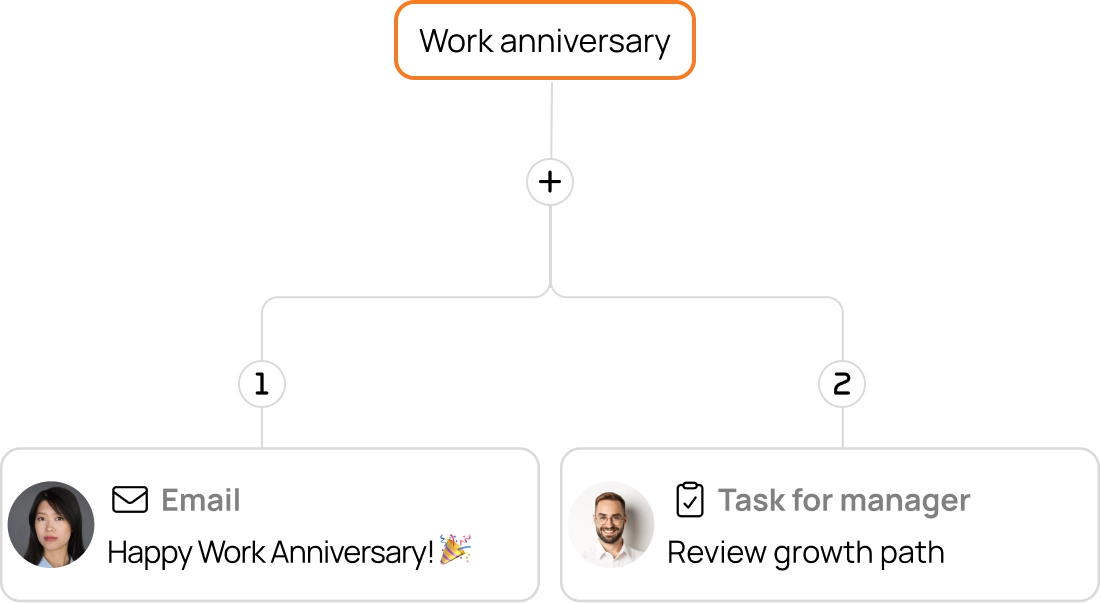
Automate any HR process

Build workflows, or let AI do it for you

Design your workflow step-by-step with a visual builder, or just describe what you need in plain English and let TalentHR's AI generate it for you. Either way, you get a ready-to-run workflow in minutes.
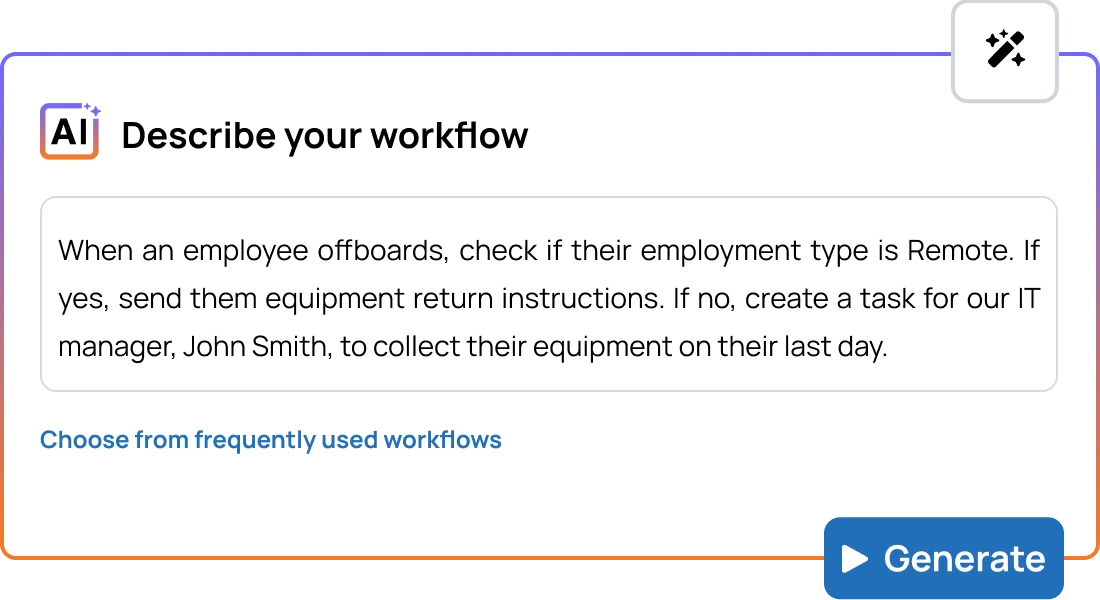
Build workflows, or let AI do it for you

Set the right action for every moment

Each workflow can include any mix of automated actions: send a personalized email, create an HR task, assign TalentLMS training, or kick off a membership process. Chain them in sequence or run them in parallel, and assign each step to whoever needs to own it.
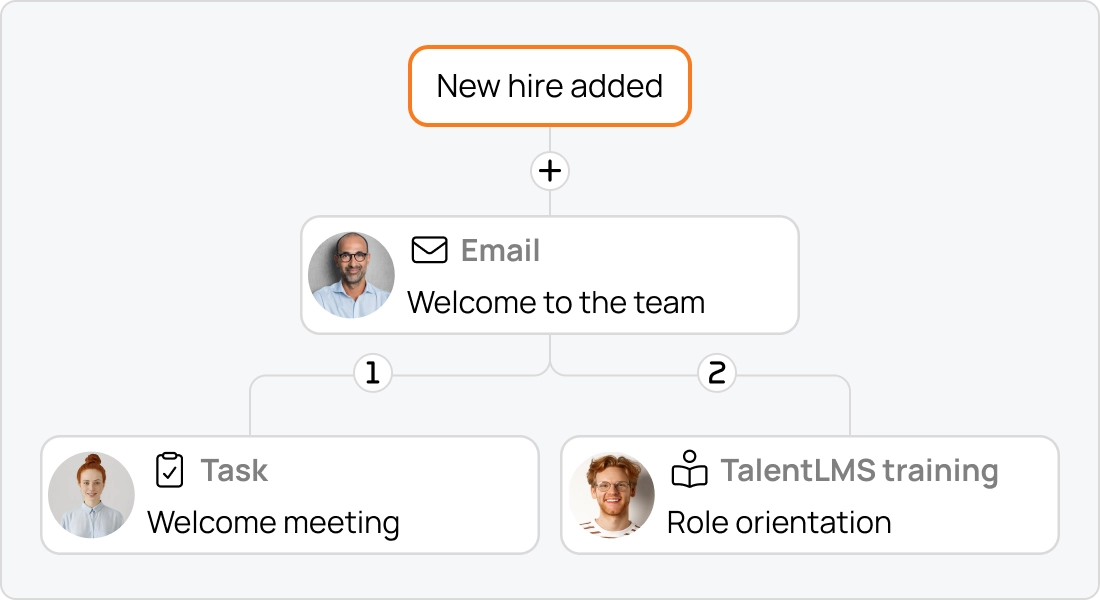
Set the right action for every moment
Nail the timing every single time

Nail the timing every single time

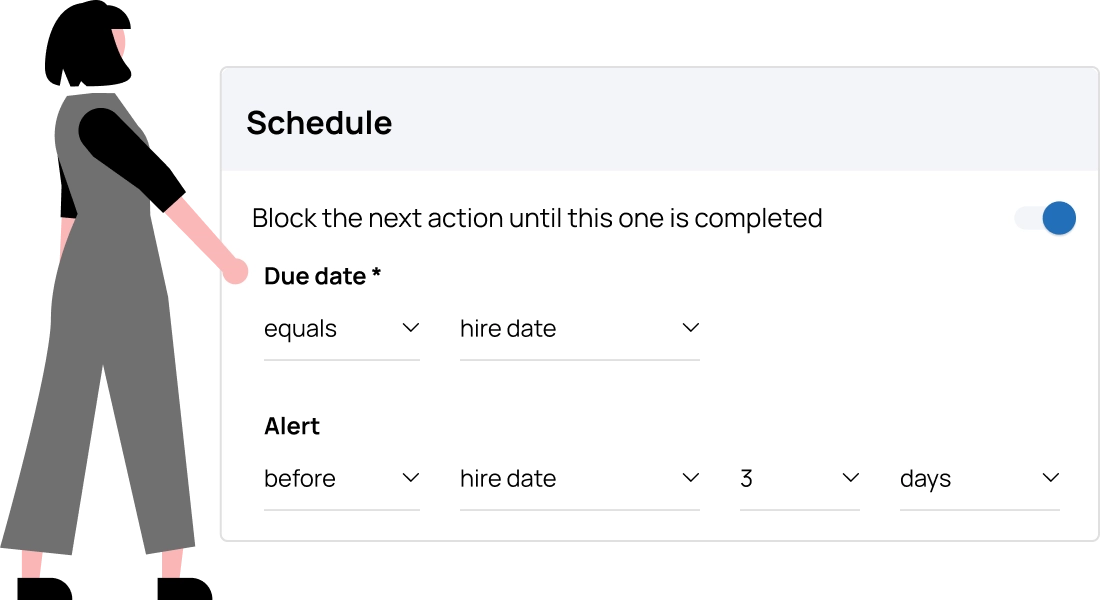
Send an email three days before someone starts. Assign compliance training a week before it expires. Set reminders so nothing falls through the cracks, and block the next step from running until the current one is done.

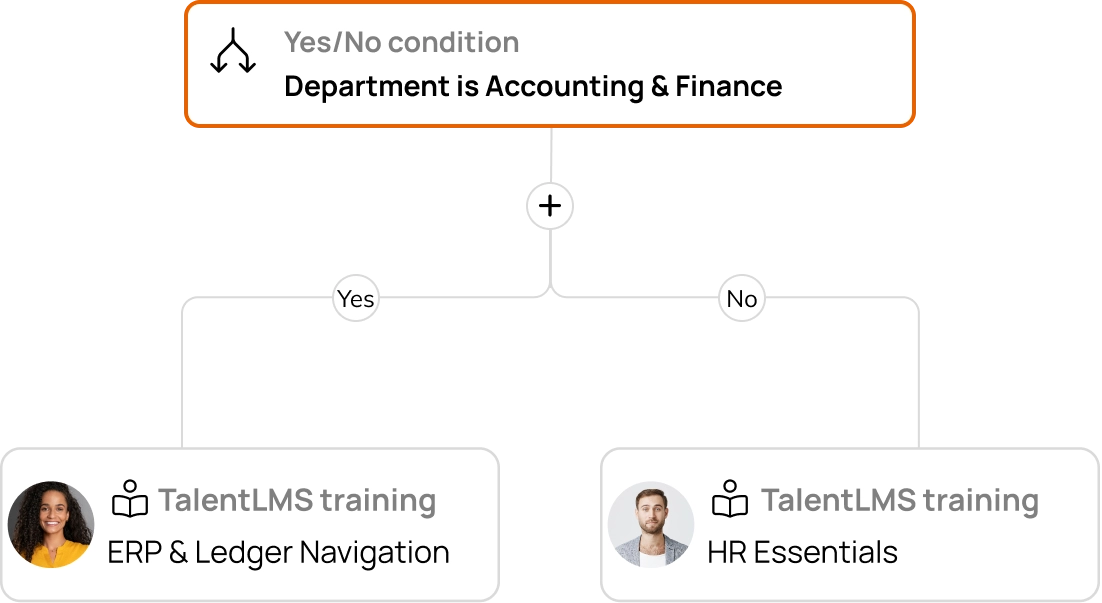
Design workflows with conditional logic

Use Yes/No branching rules to send different actions based on employee data, or run parallel actions at once. TalentHR Workflows let you handle exceptions and edge cases without building a separate workflow for every scenario.
Design workflows with conditional logic

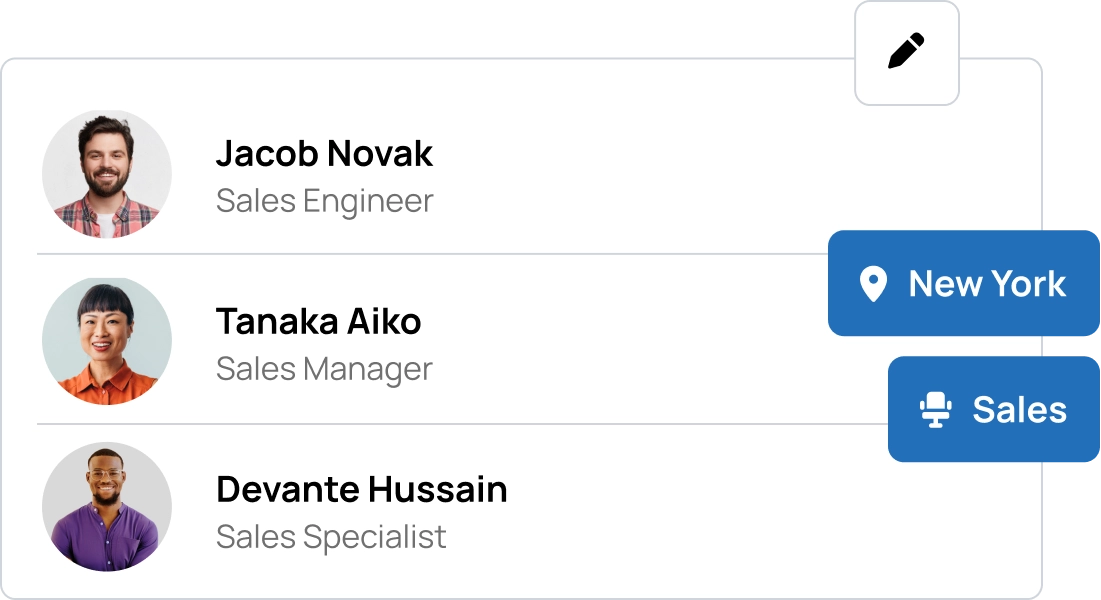
Target the right team members

Workflows don't have to apply to everyone. Scope each one by department, location, job title, employment status, or individual employees. Launch a new workflow for your sales team only, or trigger a process for a specific office.
Target the right team members

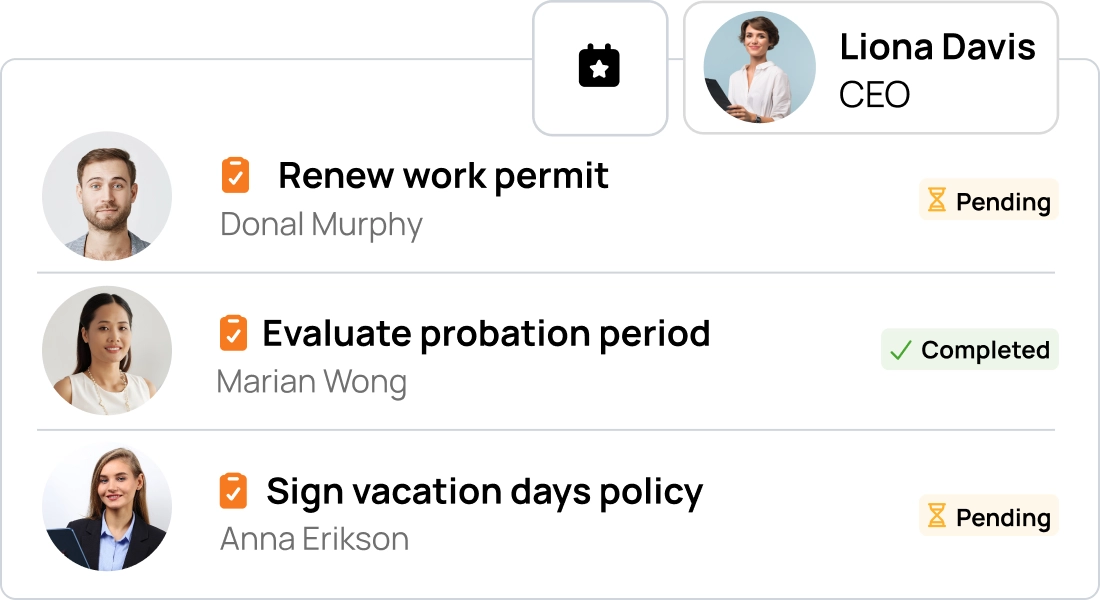
Never miss a compliance deadline

Some HR obligations run on a clock—work permits, certifications, probation periods, policy sign-offs. Fire off a workflow automatically before a deadline hits and keep a clear record of what was done and when. That way, compliance is just another process that runs itself.
Never miss a compliance deadline

Frequently asked questions

What is workflow automation in HR?
HR workflow automation is the process of setting up rules that automatically trigger actions — like sending emails, creating tasks, or assigning training—when specific employee events occur. Instead of manually tracking and initiating each step of a process, the system handles it for you. This is especially valuable for recurring processes like onboarding new hires, managing offboarding, or sending anniversary messages.
What kinds of workflows can I build in TalentHR?
You can automate several recurring HR process. Common examples include new hire onboarding sequences, offboarding checklists, compliance training assignments, birthday and work anniversary messages, and role-change notifications. If it involves an employee event and a series of follow-up actions, TalentHR’s automated workflows can handle it.
How does TalentHR's AI workflow builder work?
Just type a plain-language description of what you want, for example, "Send a welcome email when a new employee is added, then assign onboarding training due 5 days after their hire date." TalentHR's AI generates the full workflow structure for you, which you can use as is, add more actions, or edit individual steps if needed.
What triggers are available for workflows in TalentHR?
You can trigger workflows on the following events: a new hire being added, an employee being terminated, a specific employee field being updated, a birthday, a work anniversary, or a custom employee date being reached. This covers the full employee lifecycle, so you can automate processes at every stage.
Can I assign workflow tasks to specific people, like a manager or an IT admin?
Absolutely. Each action in a workflow can be assigned to the employee themselves, their direct manager, another specific employee, or a custom email address. This makes it easy to coordinate cross-functional processes such as IT setup, equipment handover, or document signing without manual handoffs.
Does workflow automation in TalentHR work with TalentLMS?
Yes. If you have an active TalentLMS integration, you can include a "Assign TalentLMS training" action in any workflow. This is especially useful for automatically enrolling employees in onboarding courses, compliance training, or role-specific learning paths based on their hire date, job title changes, or other triggers.

Start TalentHR free -
Unlock advanced features for $2/user

No credit card needed, downgrade or cancel anytime