
TalentHR's performance reviews now support self-assessments, manager reviews, peer feedback, and upward feedback within the same review cycle. Use all feedback types or only the ones you need.
Each feedback type can have its own form and timeline. New controls also let you manage upward feedback visibility and anonymity, as well as cycle extension.
Deloitte’s 2025 Global Human Capital Trends survey found that 72% of workers and 61% of managers could not say they trust their organization’s performance management process. Gathering feedback from multiple perspectives and giving organizations clear control over how it is collected and shared can help create a more balanced and transparent review process.
Here’s how TalentHR is moving in that direction:
Choose the feedback you need
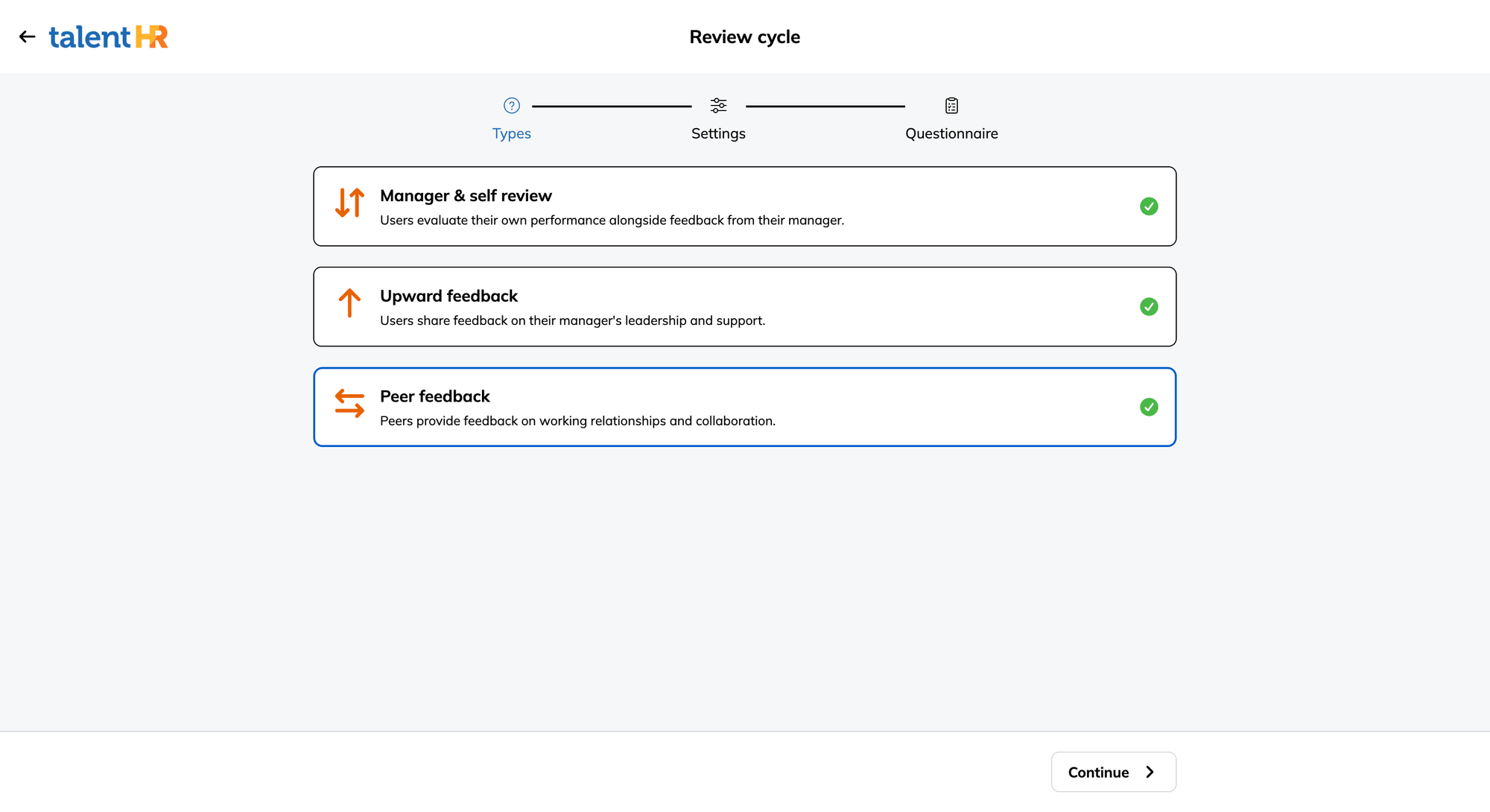
A review cycle can now include:
- Self-assessments and manager reviews
- Peer feedback
- Upward feedback
Turn on every feedback type for a company-wide review, or keep the cycle focused. A probation review, for example, may only need input from the employee and their manager. A leadership review might combine a leader’s self-assessment with upward feedback from direct reports. A cross-functional team may benefit more from peer feedback. And a small business running reviews twice a year may prefer simple self-assessments and manager reviews with just a few questions.
There’s no requirement to run the same review process every time. Choose the participants and feedback types based on what you’re trying to learn.
Set the order—not just one final deadline
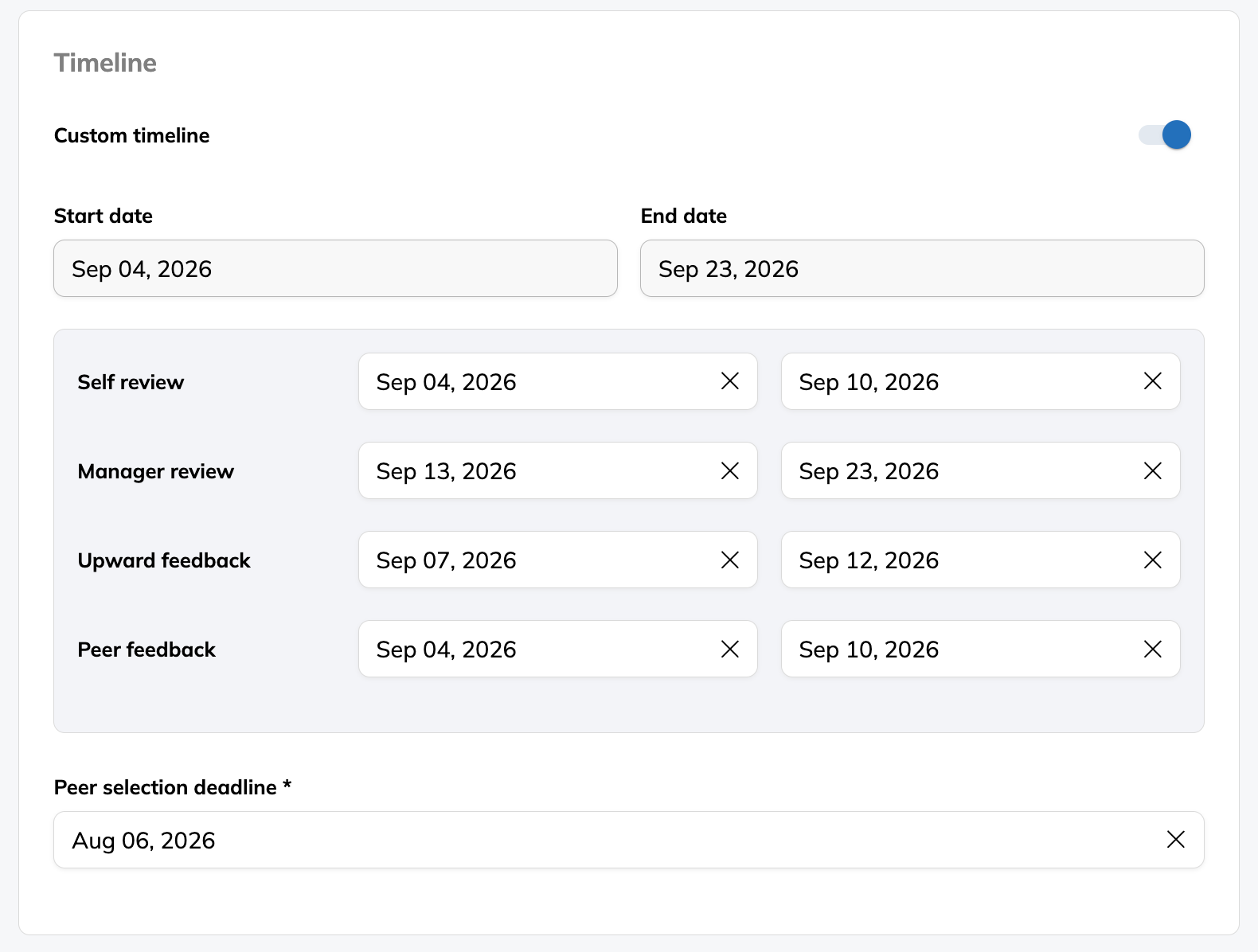
Running several feedback types on the same dates can create a known problem: managers start their reviews before the supporting feedback is in.
TalentHR now lets you set start and end dates for each review type.
A cycle could run like this:
| Stage | Example schedule |
|---|---|
| Peer selection | September 4–6 |
| Self and peer reviews | September 4–10 |
| Upward feedback | September 7–12 |
| Manager reviews | September 13–20 |
Peer selection also gets its own deadline. That gives employees or managers time to choose reviewers before the peer-feedback stage opens.
For regular review programs, the entire cycle can be set to recur automatically.
Create a different form for each perspective
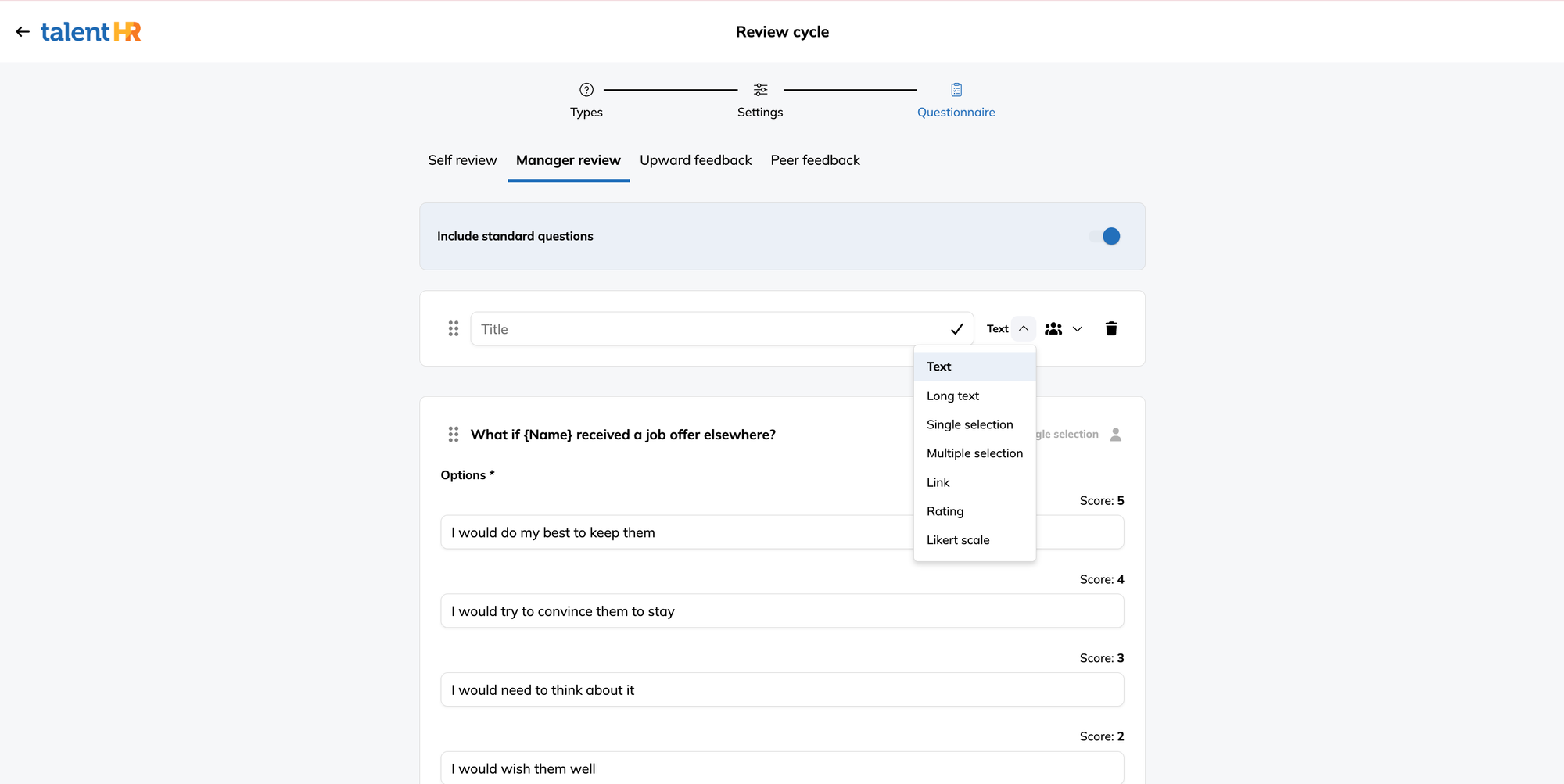
Peers, managers, and direct reports don’t see the same work. Their review questionnaires shouldn’t pretend to do so.
TalentHR lets you create a separate form for each feedback type. Start with the standard questions, edit them, or remove them, and build your own using:
- Written responses
- Single- and multiple-choice questions
- Ratings
- Likert scales
- Links
A peer form might ask how reliably someone handles cross-team commitments. An upward-feedback form might focus on whether a manager sets clear priorities and provides useful support.
You can collect consistent scores where comparison matters and written context where a number won’t cut it.
Control where upward feedback goes
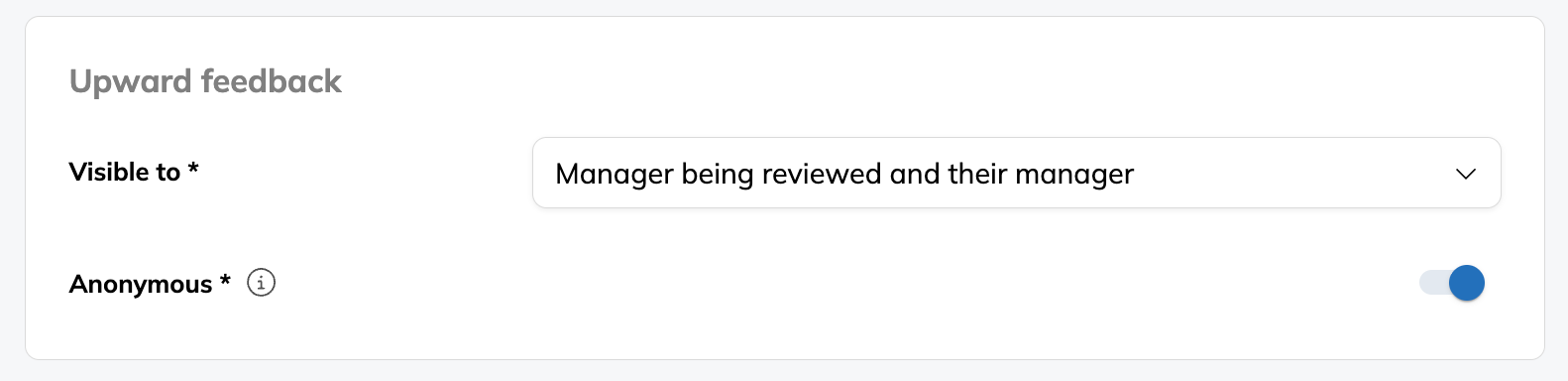
Employees should not have to guess who will read their feedback after they hit Submit.
For upward feedback, administrators can choose whether responses are visible to:
- The manager being reviewed
- The manager’s manager
- Both; the manager being reviewed and their manager
Responses can also be anonymous.
These settings are configured for the cycle, so the company can match the process to its culture and purpose. A first manager-feedback cycle may work better anonymously. A team with an established feedback practice may prefer attributed responses. Either way, the rules are set before the review begins.
Give managers the supporting feedback in one place
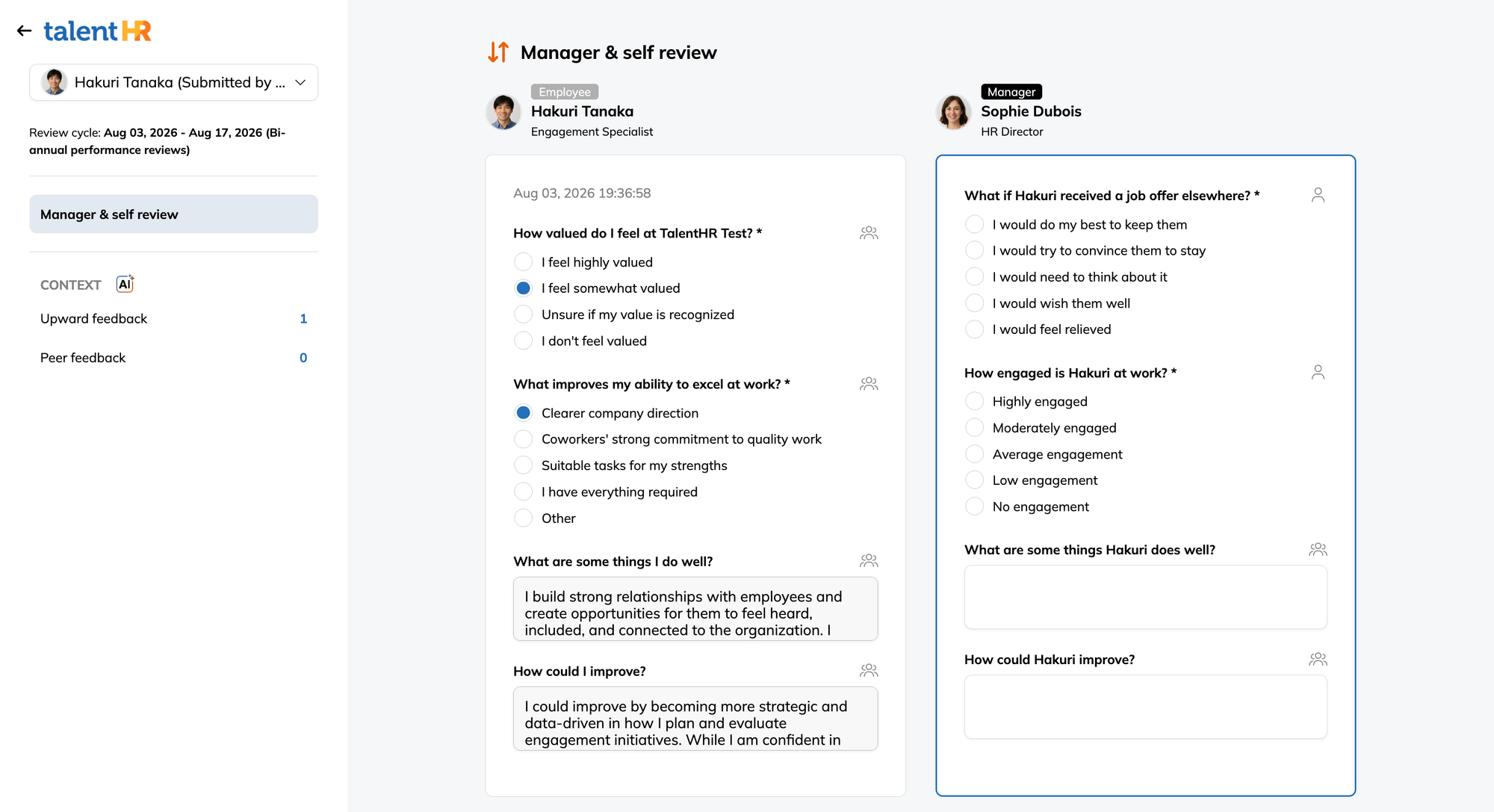
When managers write their reviews, they can see the employee’s self-review alongside submitted peer and upward feedback.
They don’t need to collect comments over email or switch between separate surveys. The relevant input sits inside the review.
That gives managers context they may not have picked up directly: how the employee works across departments, where colleagues depend on them, or how direct reports experience their leadership.
The manager still writes the final review. They’re simply doing it with a better record.
Let AI handle the first read
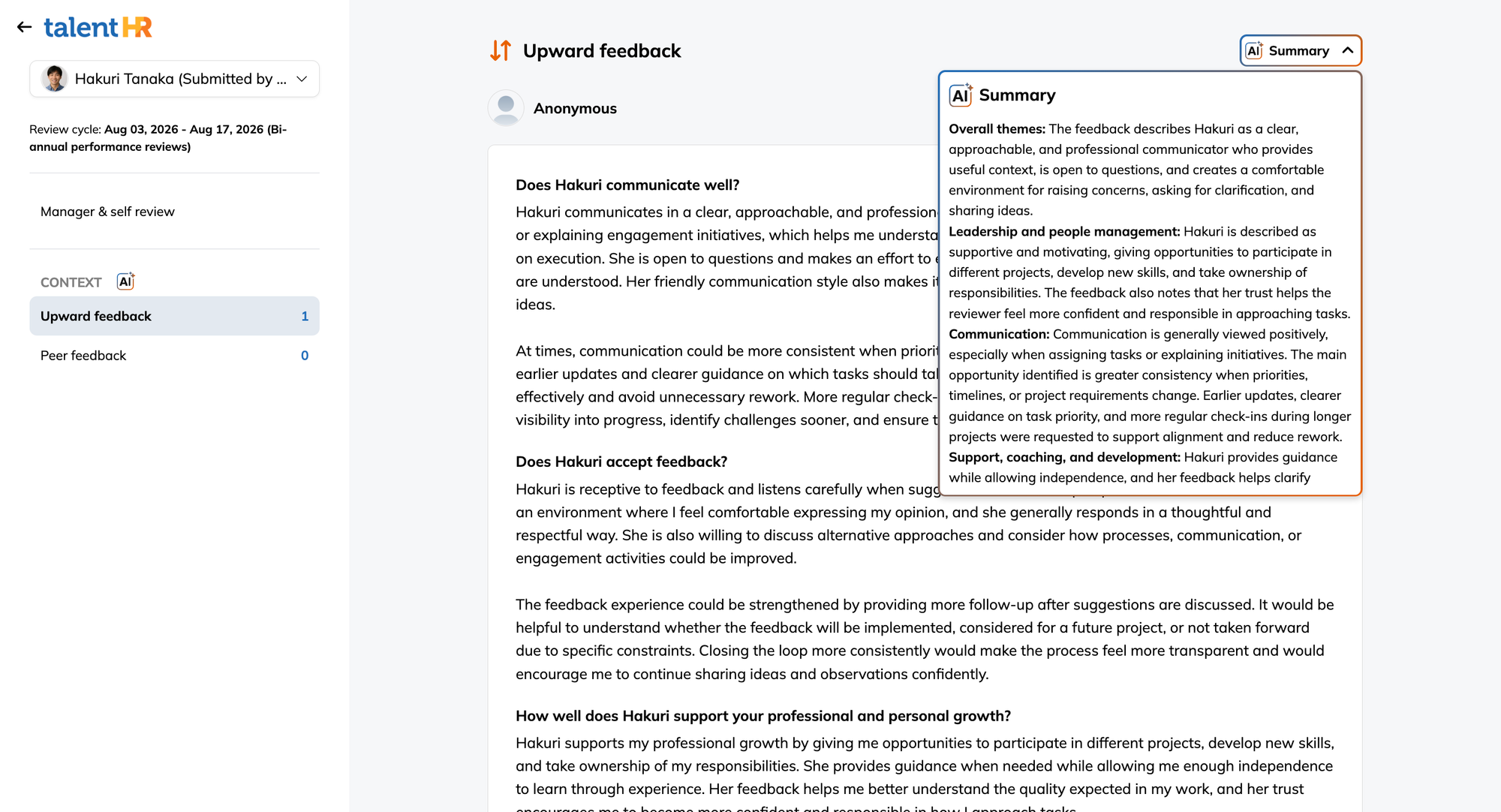
TalentHR’s AI insights summarize peer and upward feedback and surface recurring themes, strengths, and areas for development. Managers can quickly see which points appear across several responses, then return to the original comments for context.
AI does the sorting. The manager still makes the call. It doesn’t assign the final rating, decide what feedback is valid, or write the employee’s story for them. It simply gives the manager a cleaner place to start.
Decide when the employee sees the review
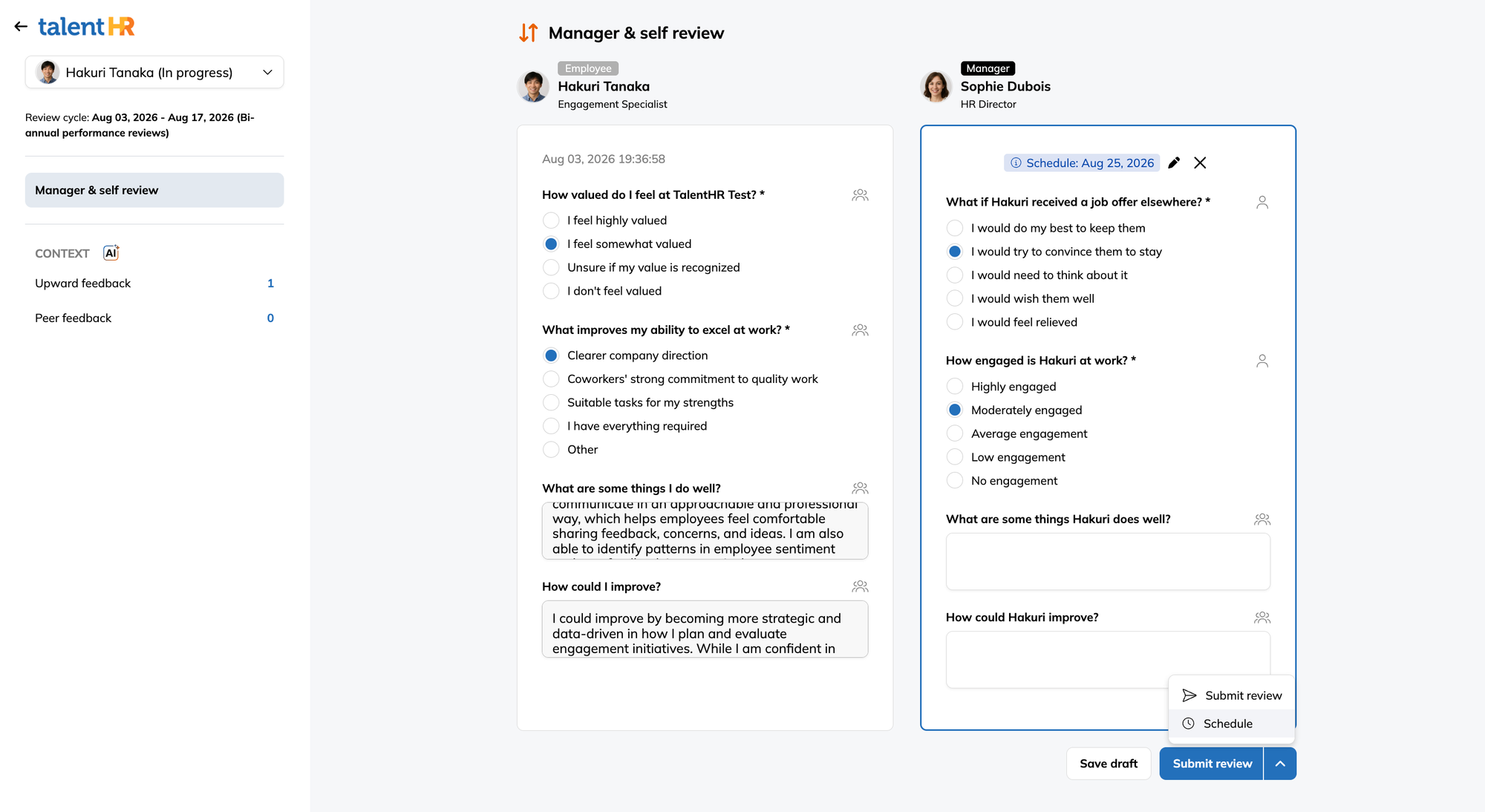
Submitting a manager review and sharing it with the employee doesn’t always need to happen at the same moment.
The manager may want to prepare for the discussion, confirm a meeting time, or review the feedback with HR first. TalentHR lets managers schedule when the completed review becomes available to the employee.
That keeps the written review and the actual conversation from getting out of sync. It also removes one more manual sharing task from the process.
Move the deadline when the deadline stops making sense
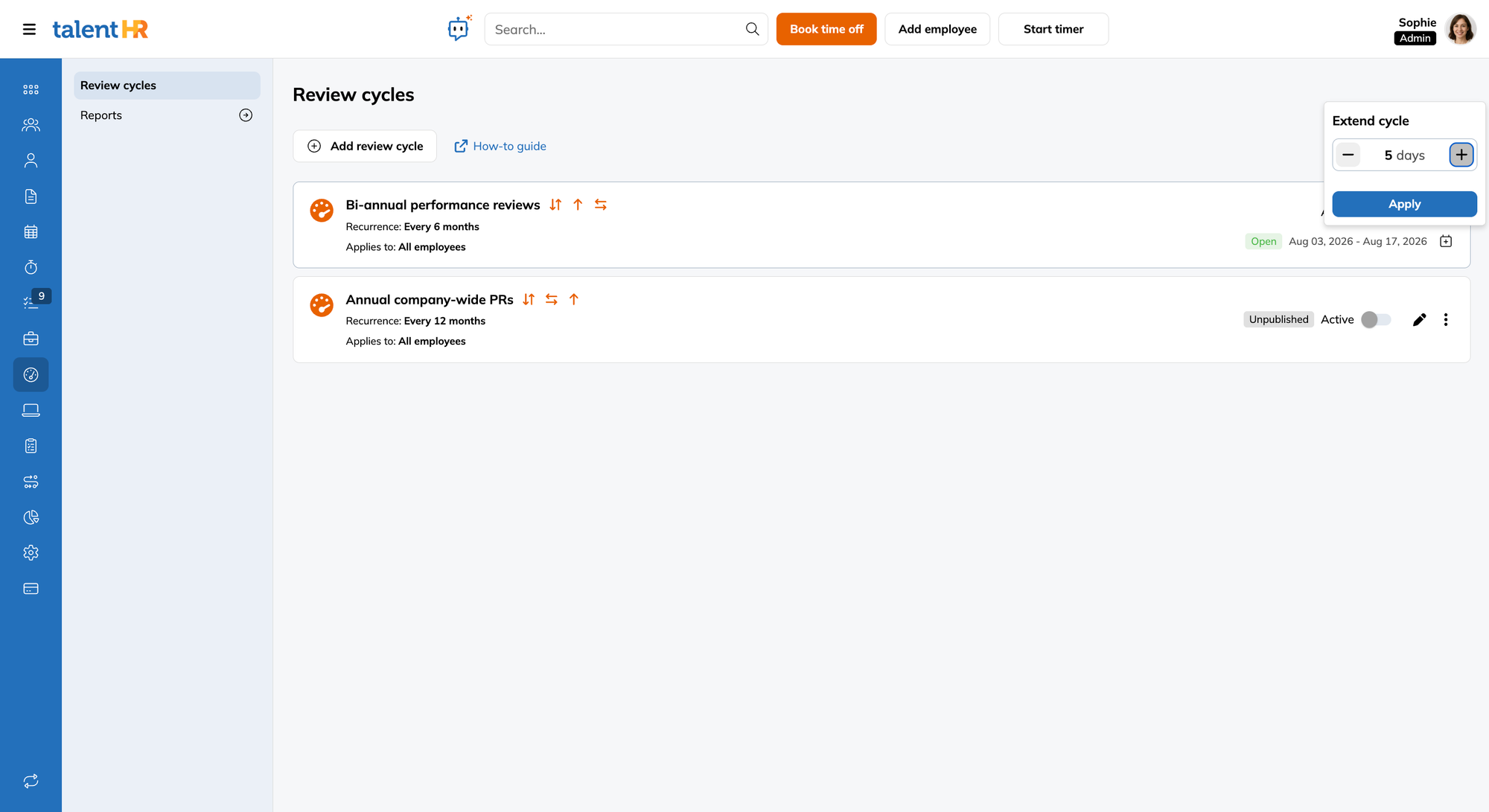
Deadlines slip. Managers go on leave. It happens.
Admins can extend a cycle when the original end date no longer works. They can also reopen individual reviews when one person needs to finish or correct their submission.
There’s no need to duplicate the cycle or reopen every employee’s work because of one exception.
TalentHR also adds role-level performance permissions. Admins can control who can view review information, manage review cycles, and reopen individual reviews. Access can be delegated without handing over every HR setting in the account.
Four ways to use the new review cycle
1. Company-wide performance reviews
Use self, manager, peer, and upward feedback in one annual or semiannual cycle.
Collect the supporting feedback first, then open manager reviews once that input is ready.
2. Manager development
Combine manager self-reviews with feedback from direct reports.
Choose whether responses are anonymous and whether they go to the manager, the manager’s manager, or both.
3. Cross-functional reviews
Add peer feedback for employees whose work regularly crosses team lines.
Choose reviewers who have worked closely enough with the employee to comment on specific behavior—not simply the most senior people available.
4. Lightweight employee check-ins
Run self and manager reviews without adding peer or upward feedback.
The expanded setup doesn’t force every review to become a major production. If a small cycle is required, then it may as well stay small.
Practical setup notes
- Sequence the stages. Give peer and upward reviewers time to finish before managers start writing.
- Keep the reviewer list relevant. Three people who know the employee’s work will usually give you more than eight people selected for appearances.
- State the visibility rules clearly. Employees should know whether upward feedback is anonymous and who can read it.
- Read beyond the AI summary. Use it to spot patterns, then check the source feedback before reaching a conclusion.
Start your first 360° performance review with TalentHR
Open the Performance module in TalentHR and create a new cycle.
Choose the employees involved, select the feedback types, prepare the forms, and set the schedule for each stage. If the cycle includes upward feedback, configure its visibility and anonymity settings before launch.
Performance reviews are available with the TalentHR Premium plan. Start free today and unlock free access to the Premium plan for 14 days, no credit card needed.